Scheduled Waste
View, track and manage scheduled waste in real time.
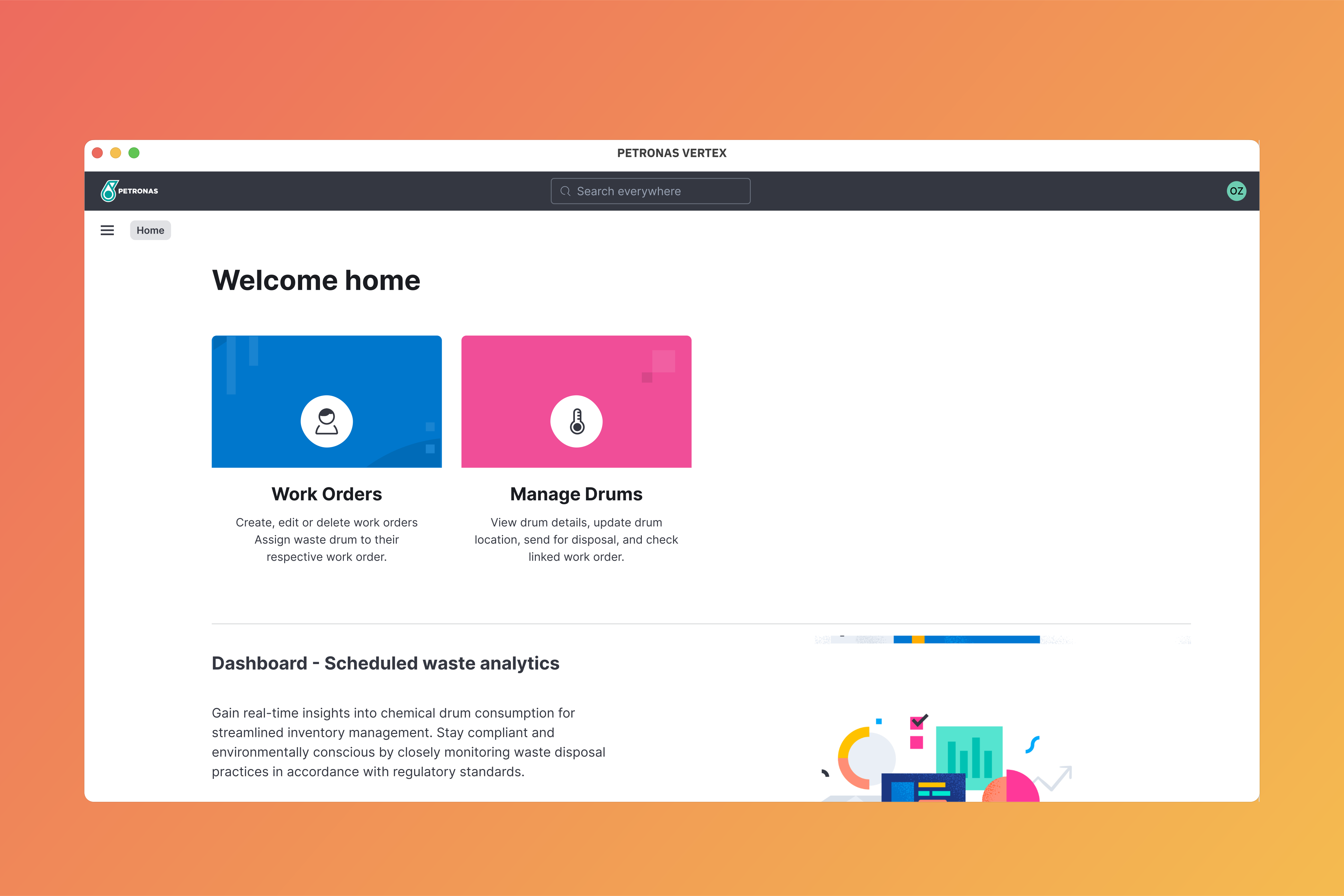
The scheduled waste module allow users to manage the entire lifecyle of scheduled waste, from waste generation up to waste disposal.
This will help the user to have real time overview of all the scheduled waste generated within the facility and ensure compliance to regulations and procedures.
Workflow
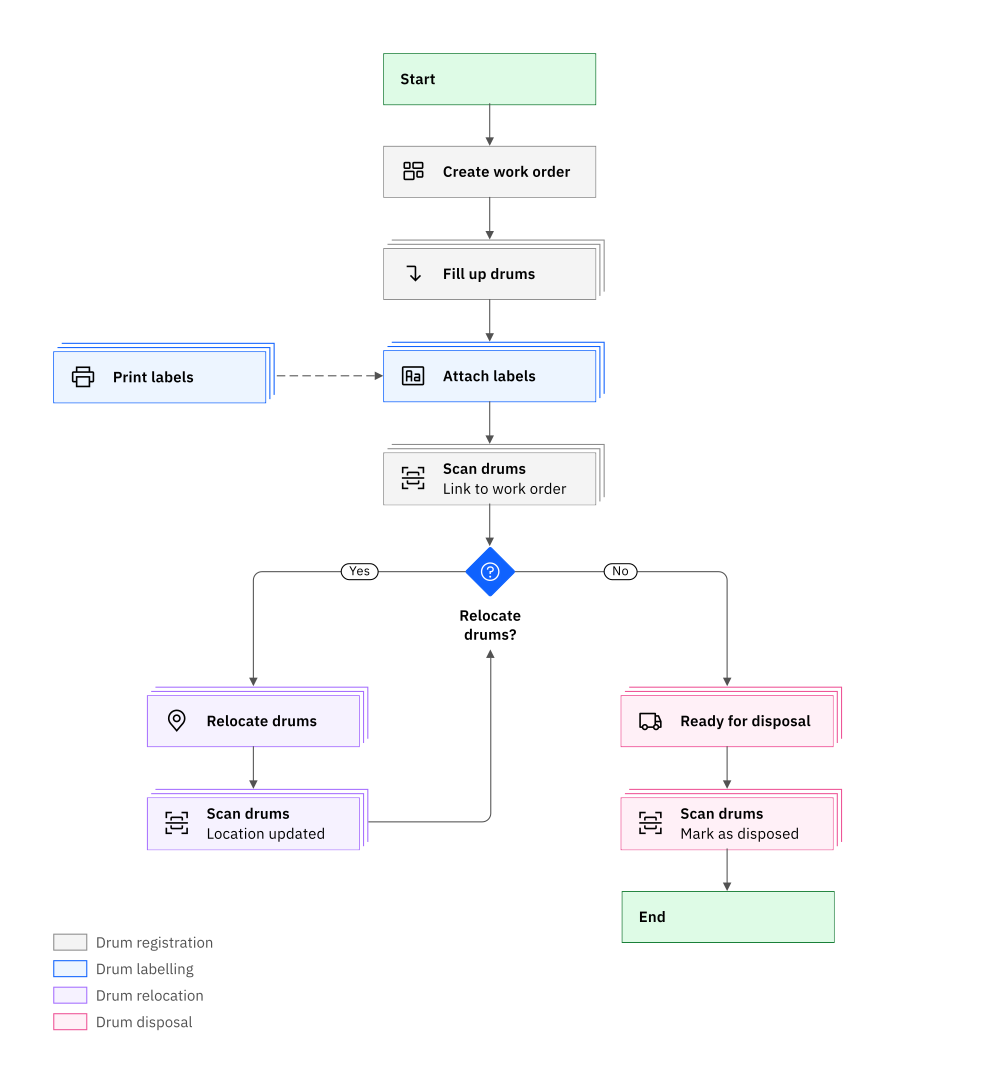
Waste registration
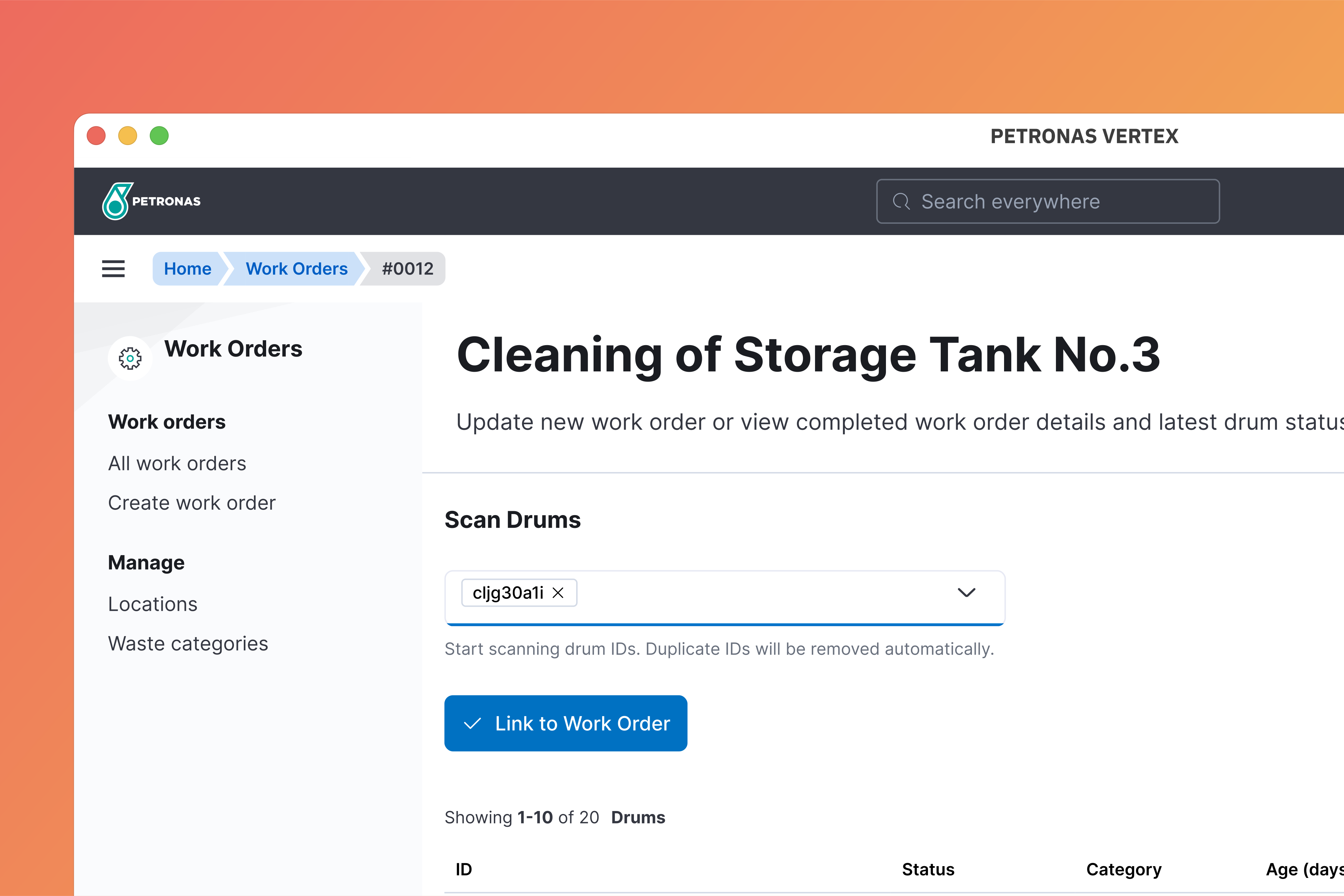
The first step in managing scheduled waste will be the creation of work order. Work order will be the parent container to which all generated scheduled waste will be linked to.
This allows large number of scheduled wastes to be quickly registered into the system. It also helps with data collection that can be used for dashboarding, analysis and future decision making.
Waste labelling
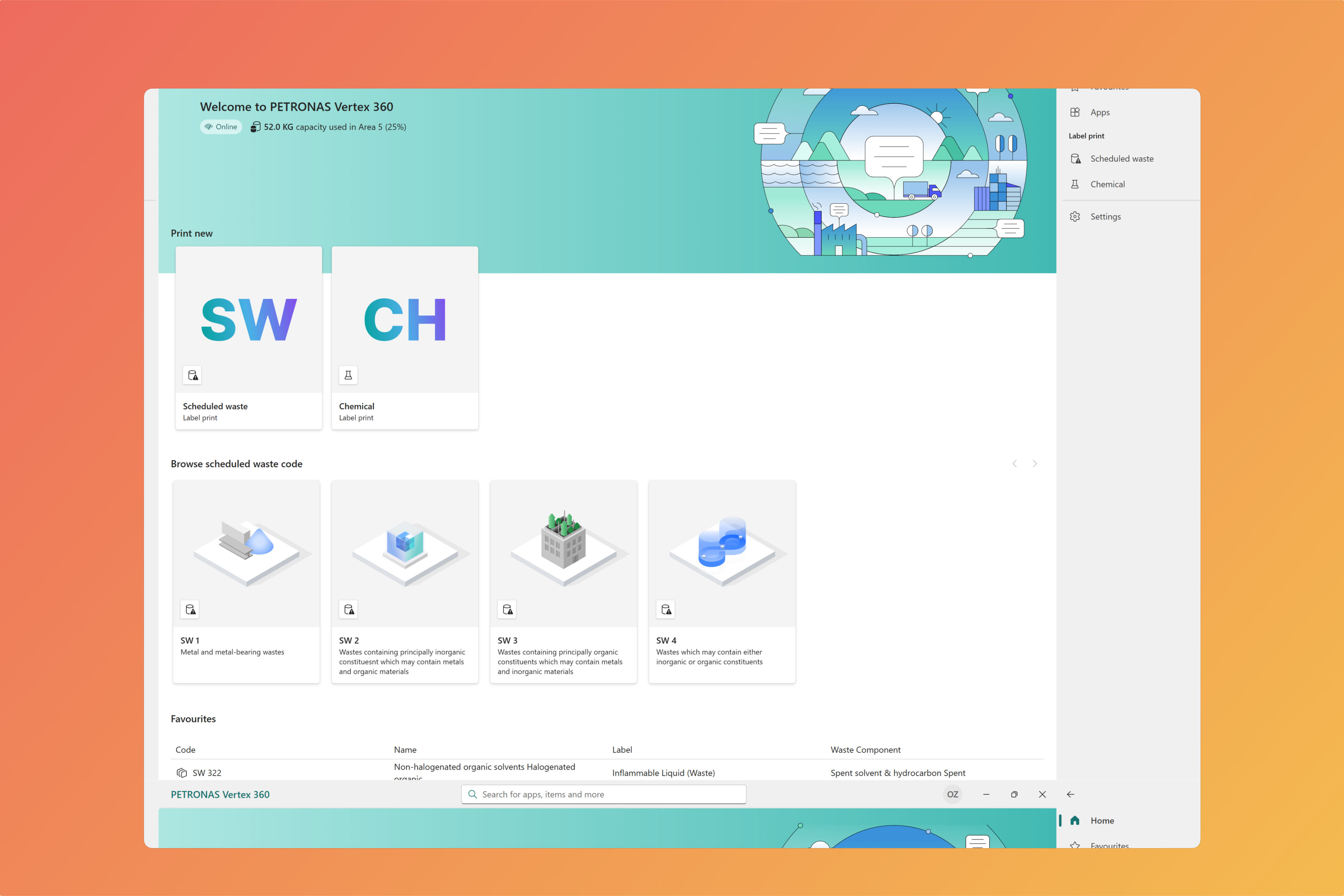
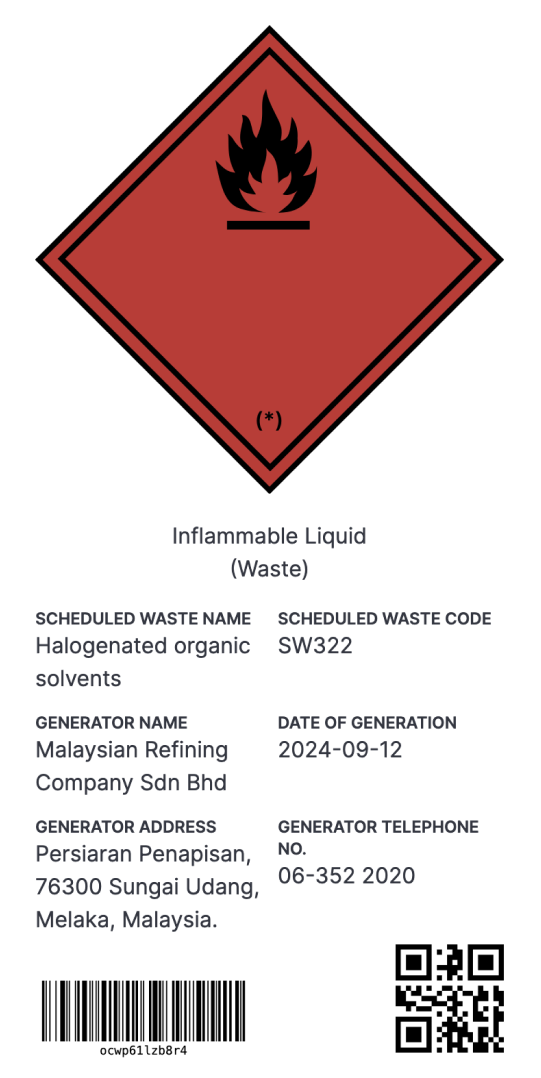
All labels will be generated through Vertex 360 desktop application. The user will select a scheduled waste from the list provided and enter date of waste generation.
All other information including a unique ID will be automatically added to the label. These labels will then be pasted on scheduled waste containers and scanned for registration, relocation or disposal.
Waste relocation
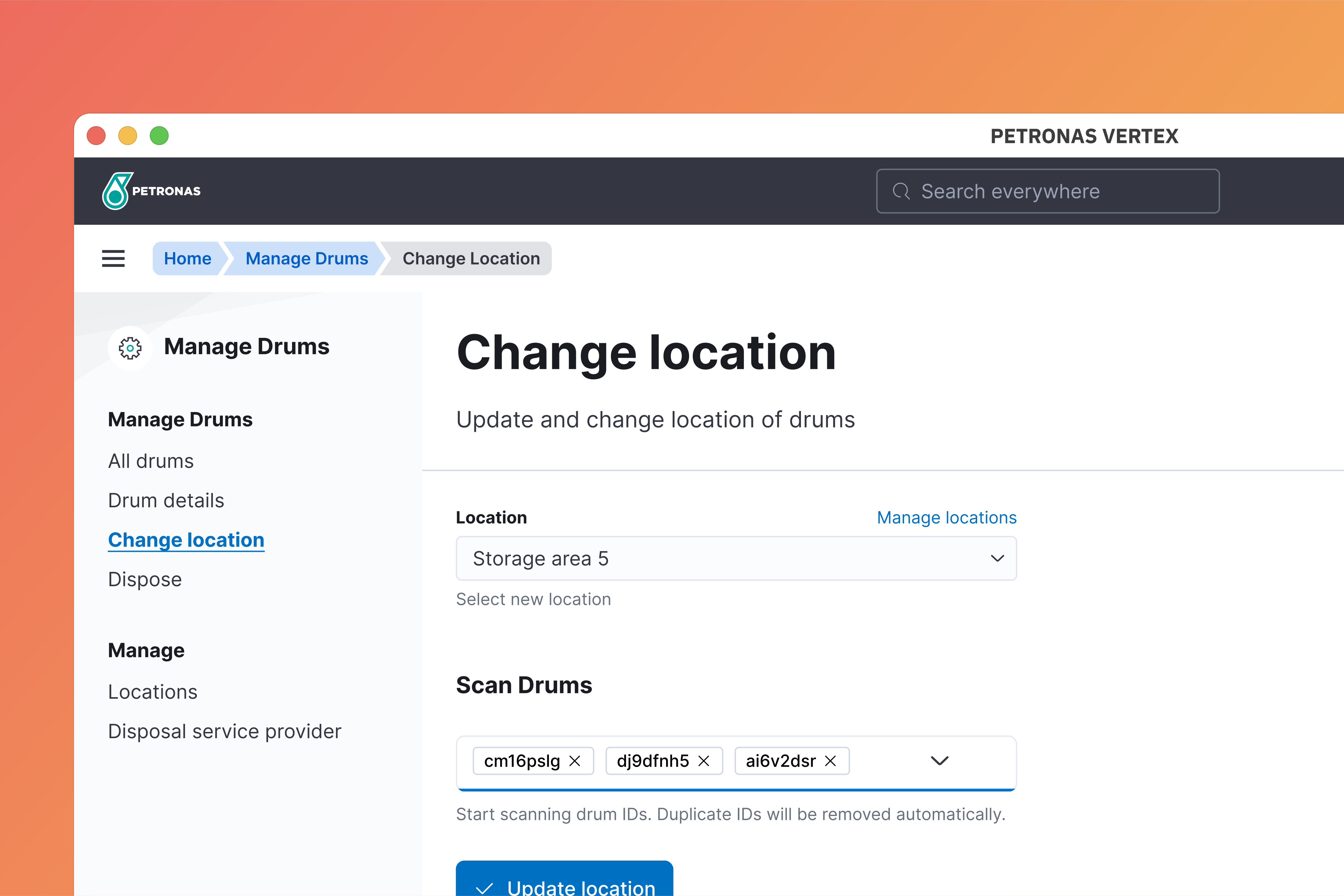
All containers will inherit location from the work order when registered. Once registered, user can update the location of containers through the change location page. Simply, bring the drums to the new location, and scan them to update their location.
Waste disposal
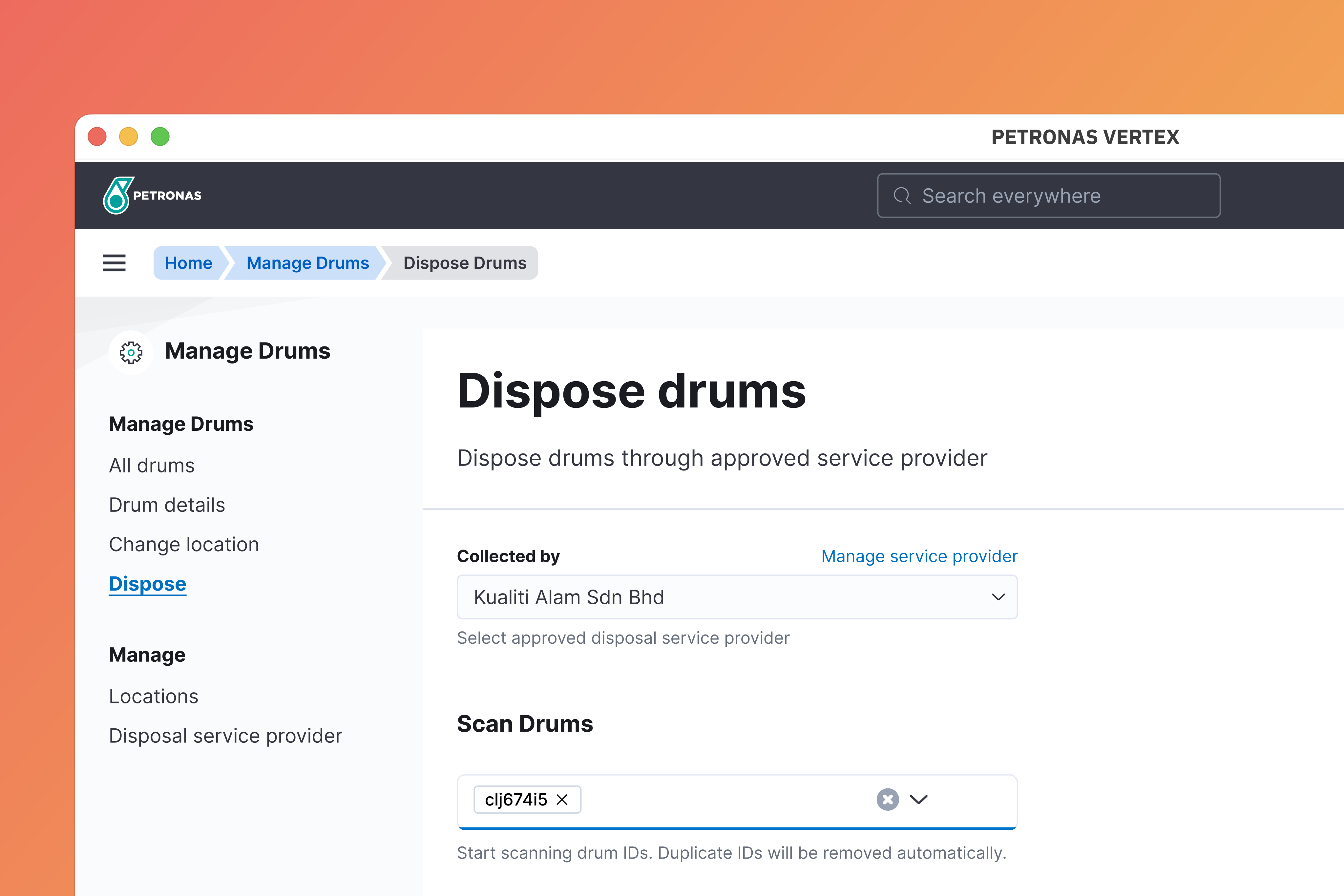
All scheduled waste shall be disposed within 180 days or less after its generation. The disposal process is as simple as loading them onto your disposal service provider vehicle, scan them, and mark them as disposed. Vertex will provided live status of each container and will highlight any drums that are overdue or nearing its limit date.