Dispose Waste
Dispose waste in timely manner.
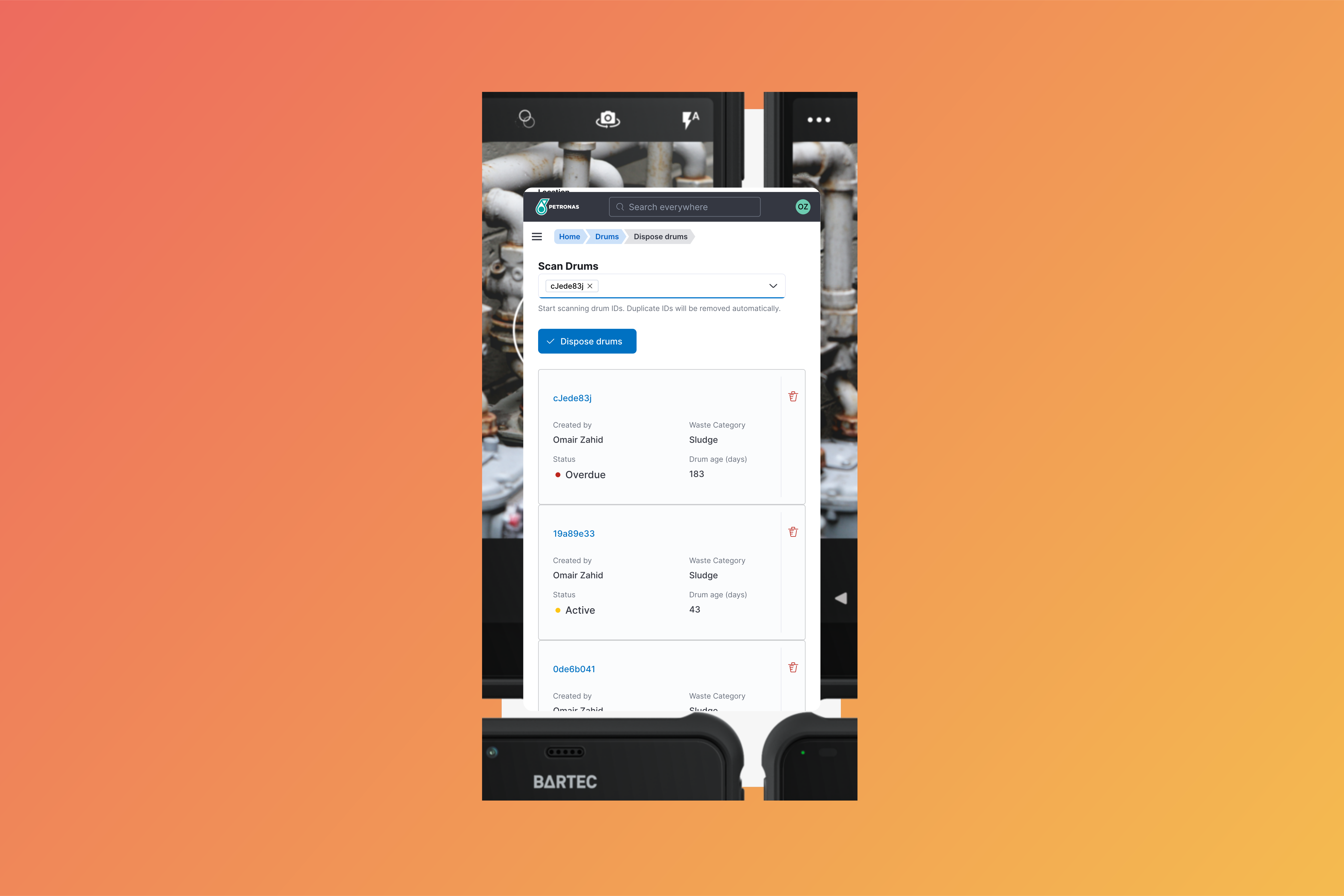
Overview
All scheduled wastes that are generated will be tracked based on their generated date. The storage duration must not exceed 180 days.
Vertex will notify the users of any waste that are overdue or nearing their disposal deadline. The disposal of these wastes
will be done from the Dispose section.
Containers are scanned once they are loaded onto the transport vehicle.
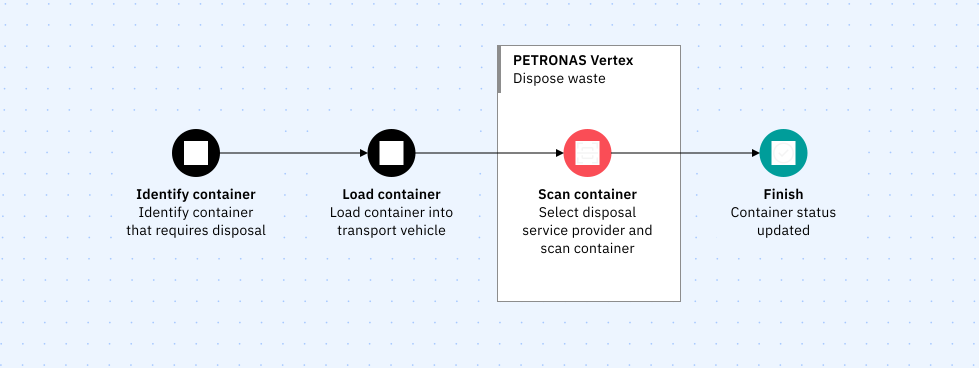
Disposing wastes
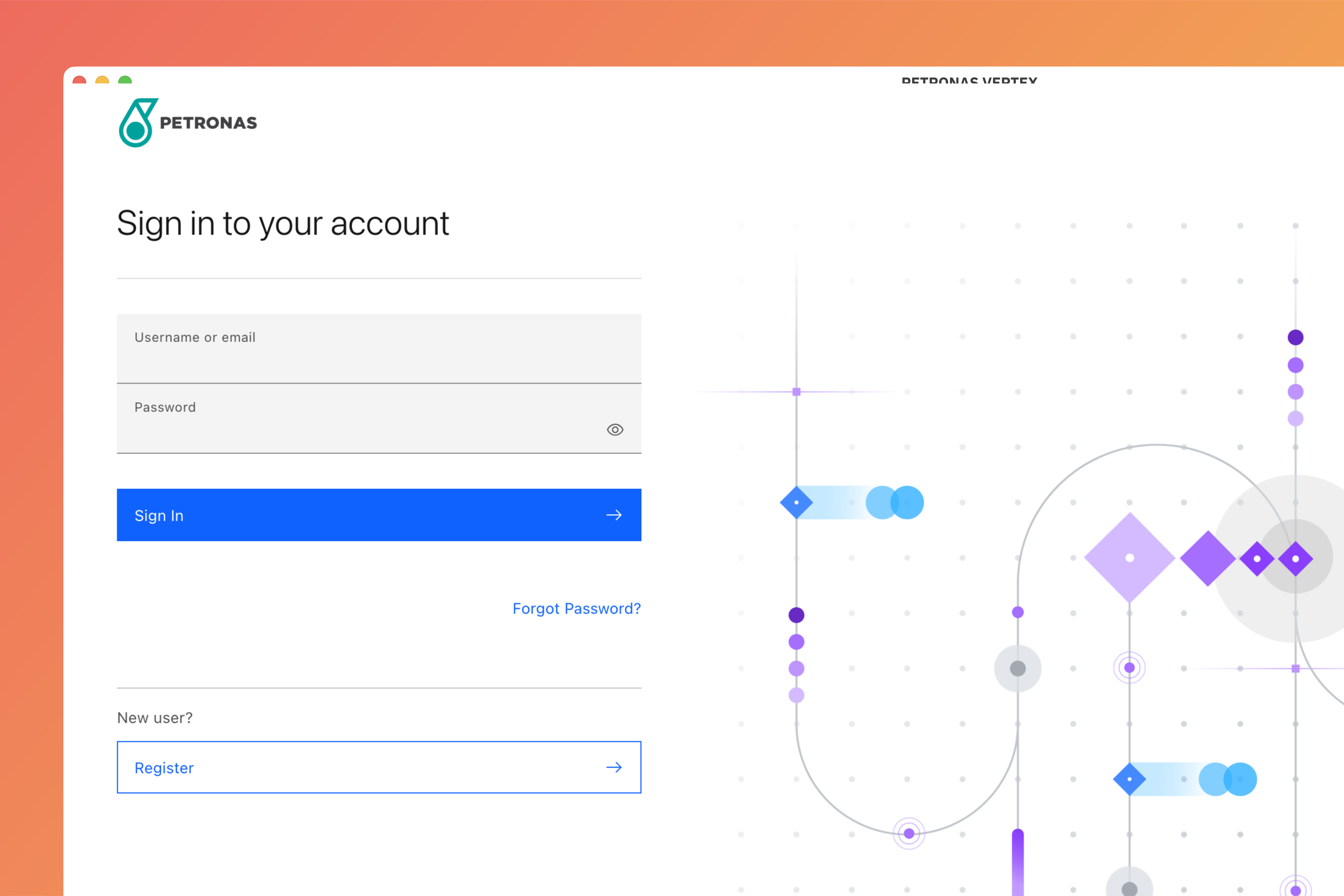
Login to Vertex
Login to Vertex using your credentials.
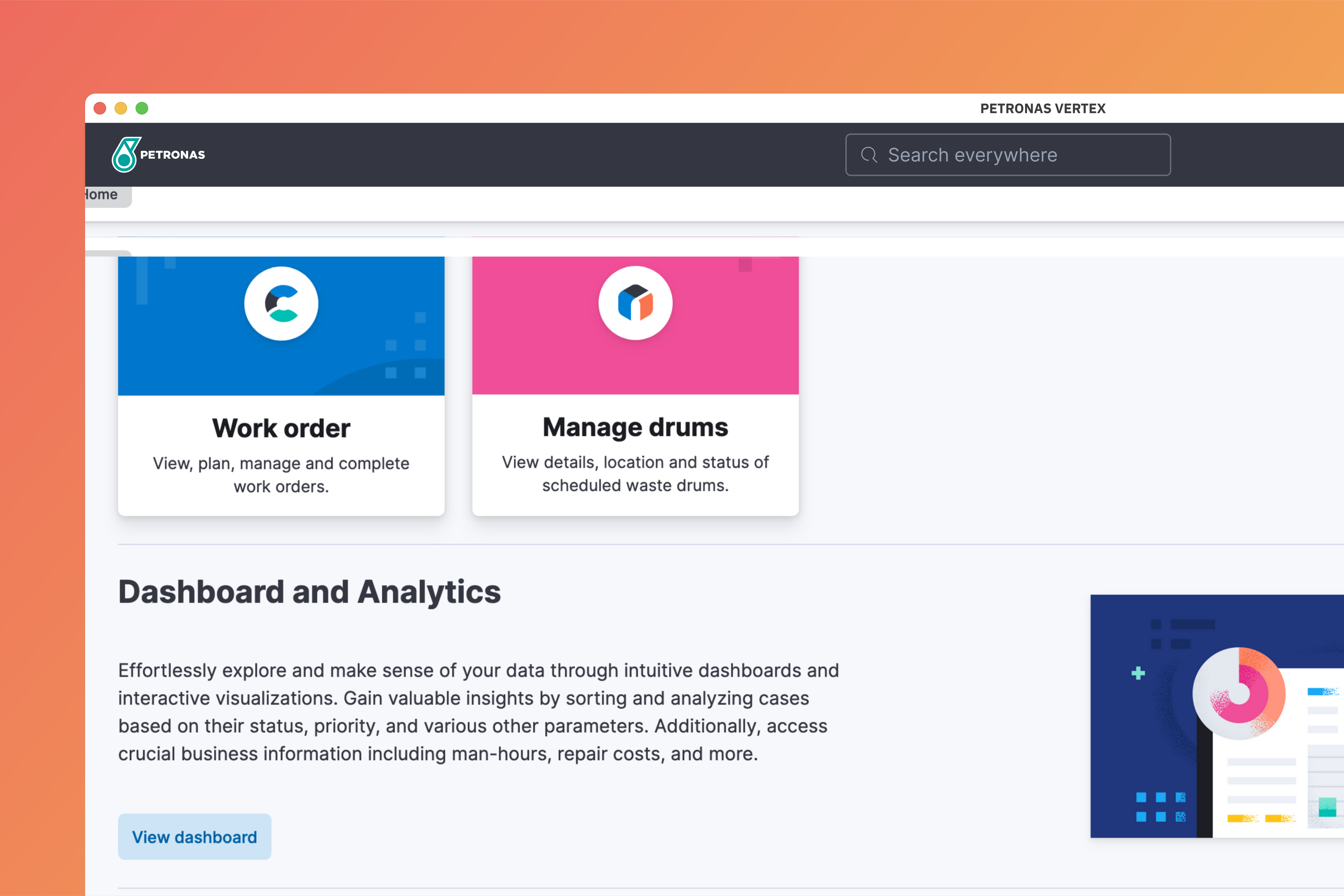
Go to Manage Drums
At the home page, select Manage Drums.
Dispose waste
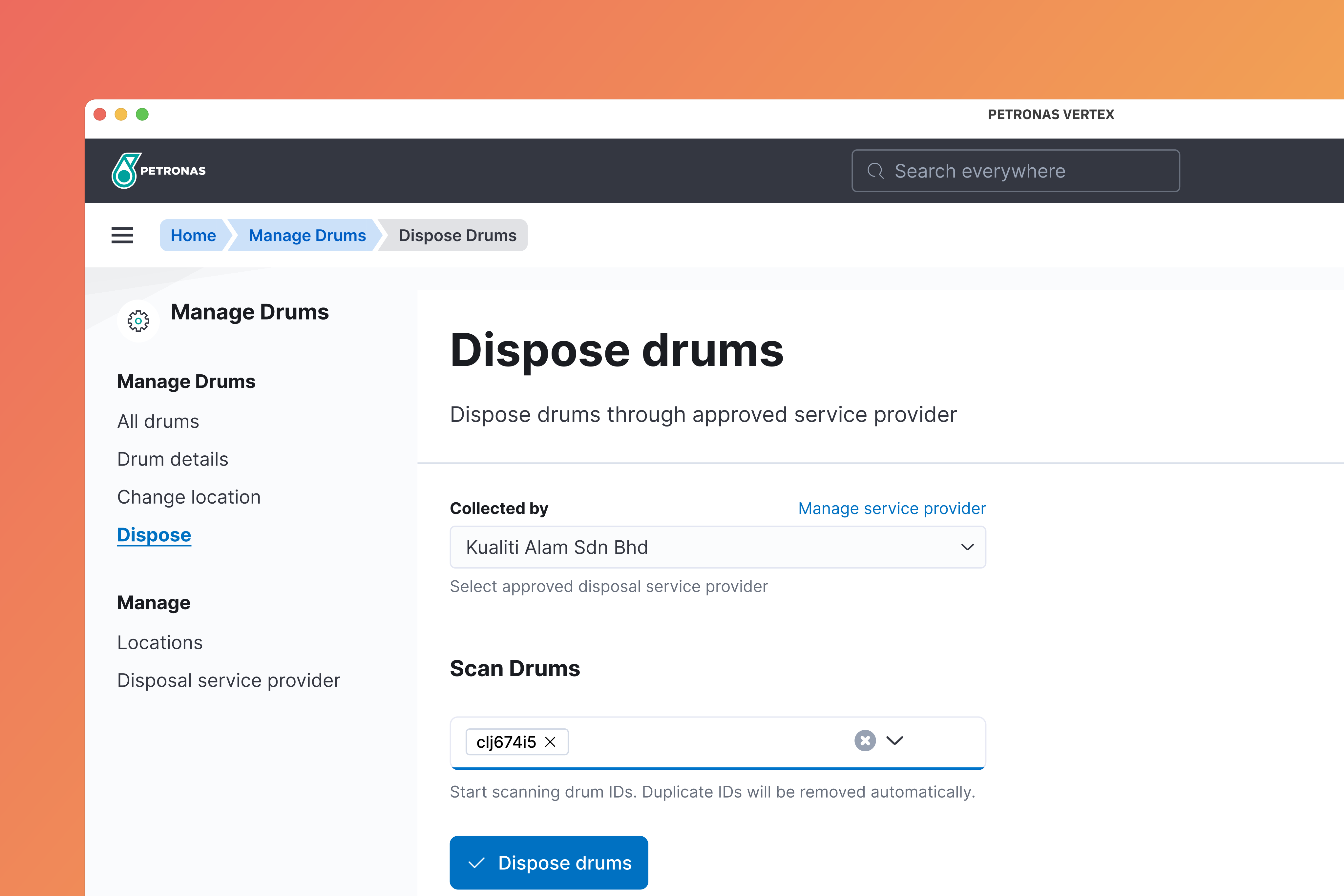
Click Dispose on the side navigation. Select disposal service provider from the dropdown menu and scan drums that are going to be disposed.
Click Dispose drums to confirm.
⚠️
The drums should be scanned while being loaded into disposal vehicle.