Manage Devices
Manage your account activity
Overview
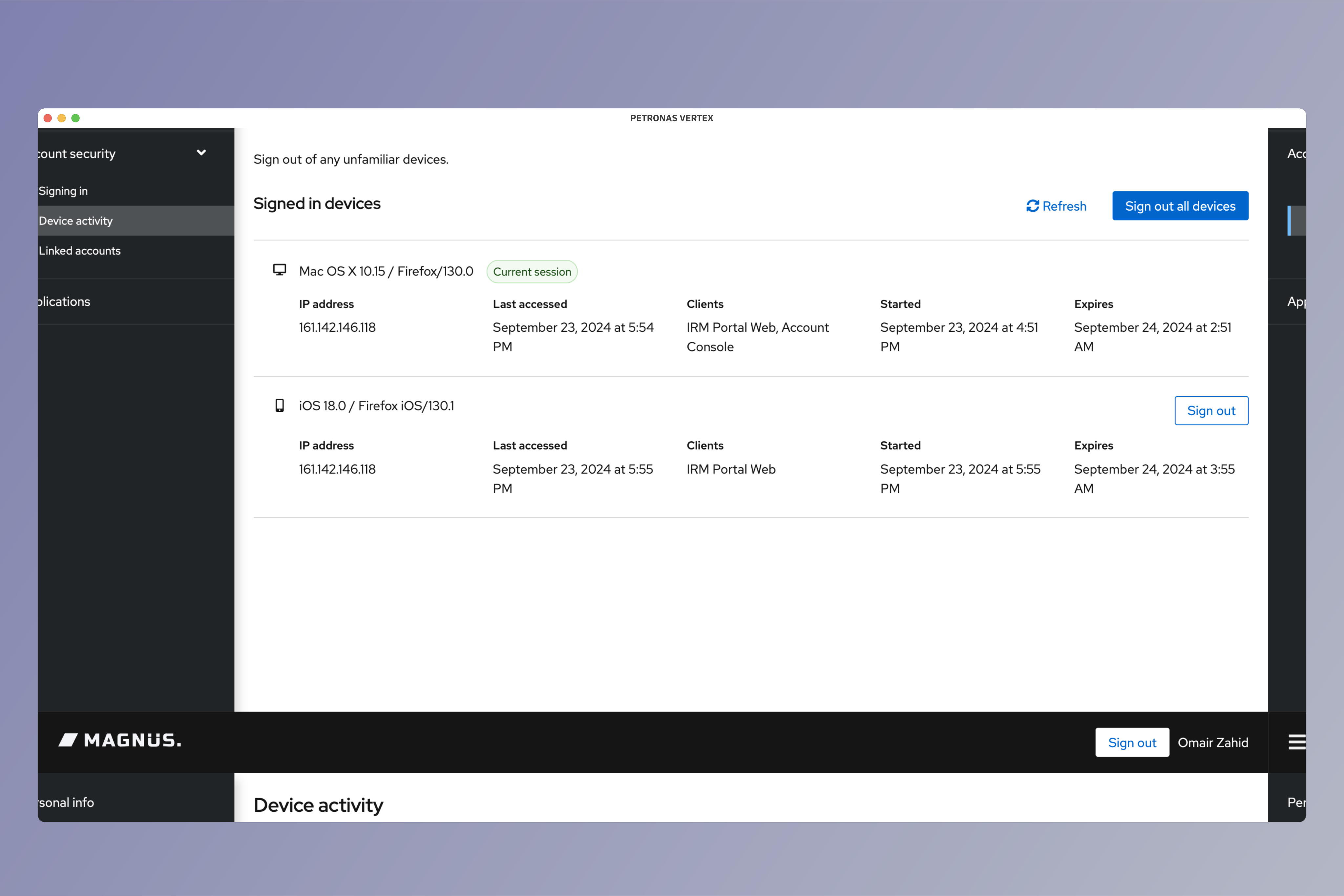
The device activity page allows you to view and manage connected devices along with details of the location, IP address, source type and date last seen.
If you suspect any suspicious activity, you can sign off the sessions.
Removing Suspicious Devices
Login to Vertex
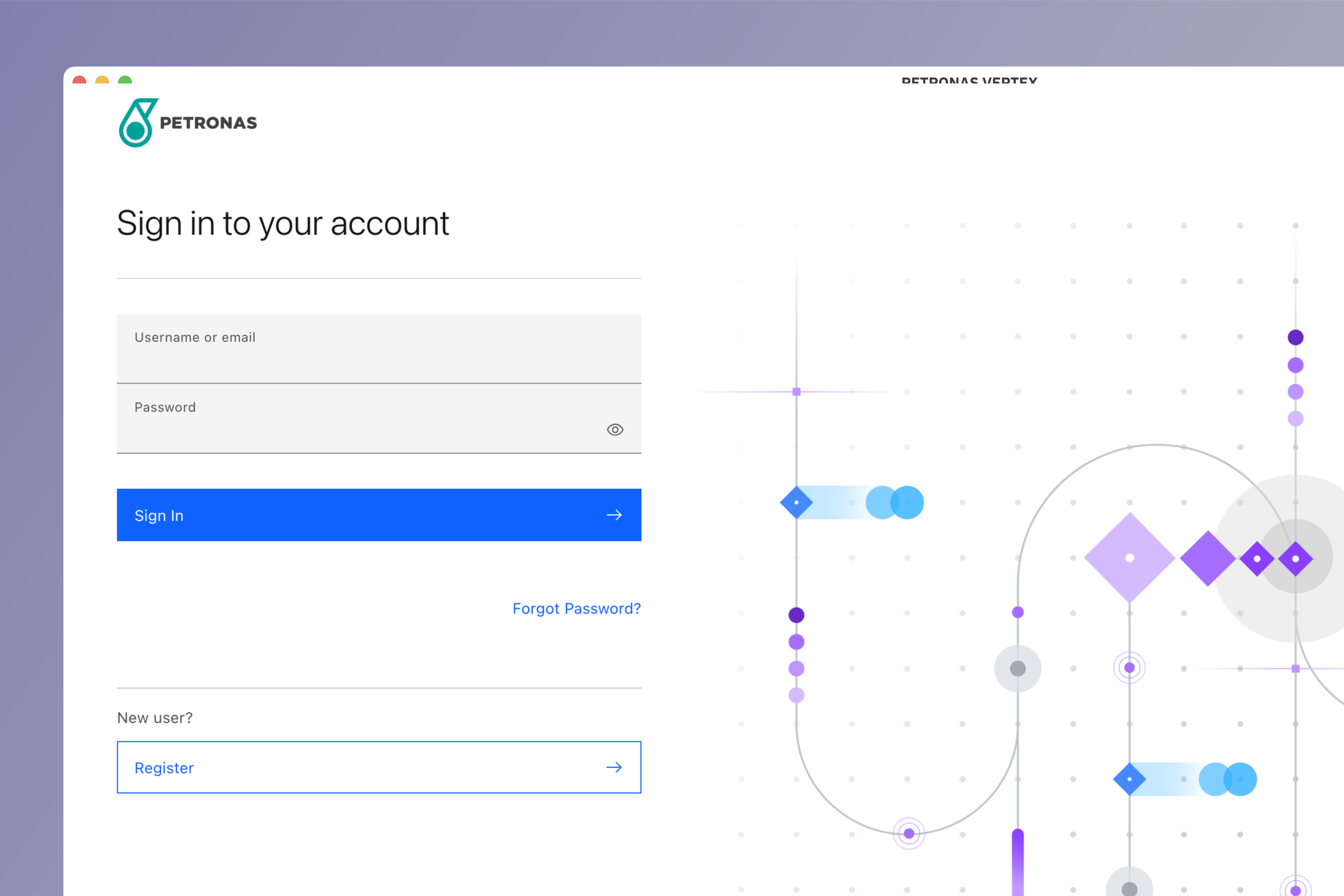
Login to Vertex using your credentials.
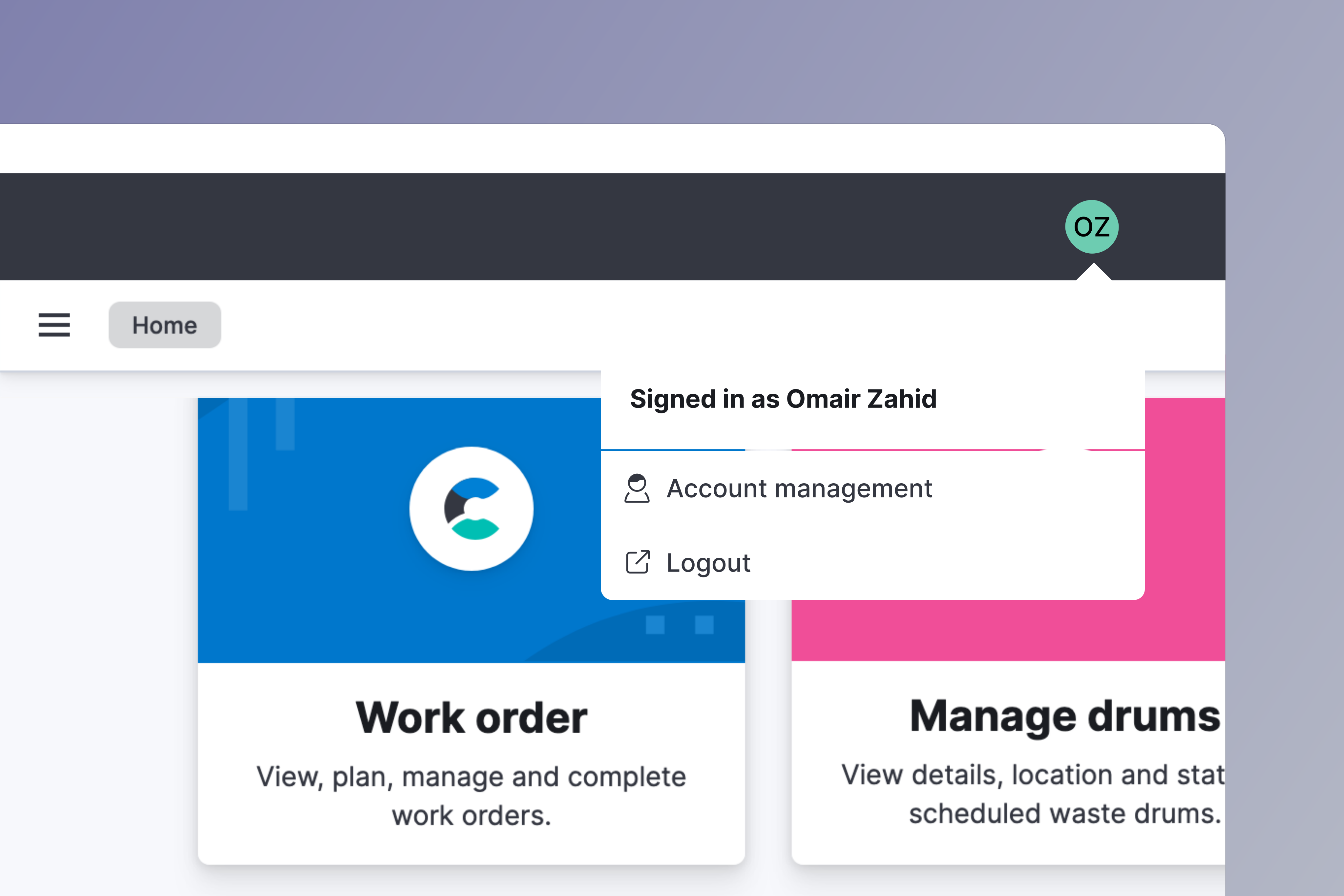
Go to account management
Click on your avatar on the top right side of your screen. Choose Account management from the menu.
Go to device activity section
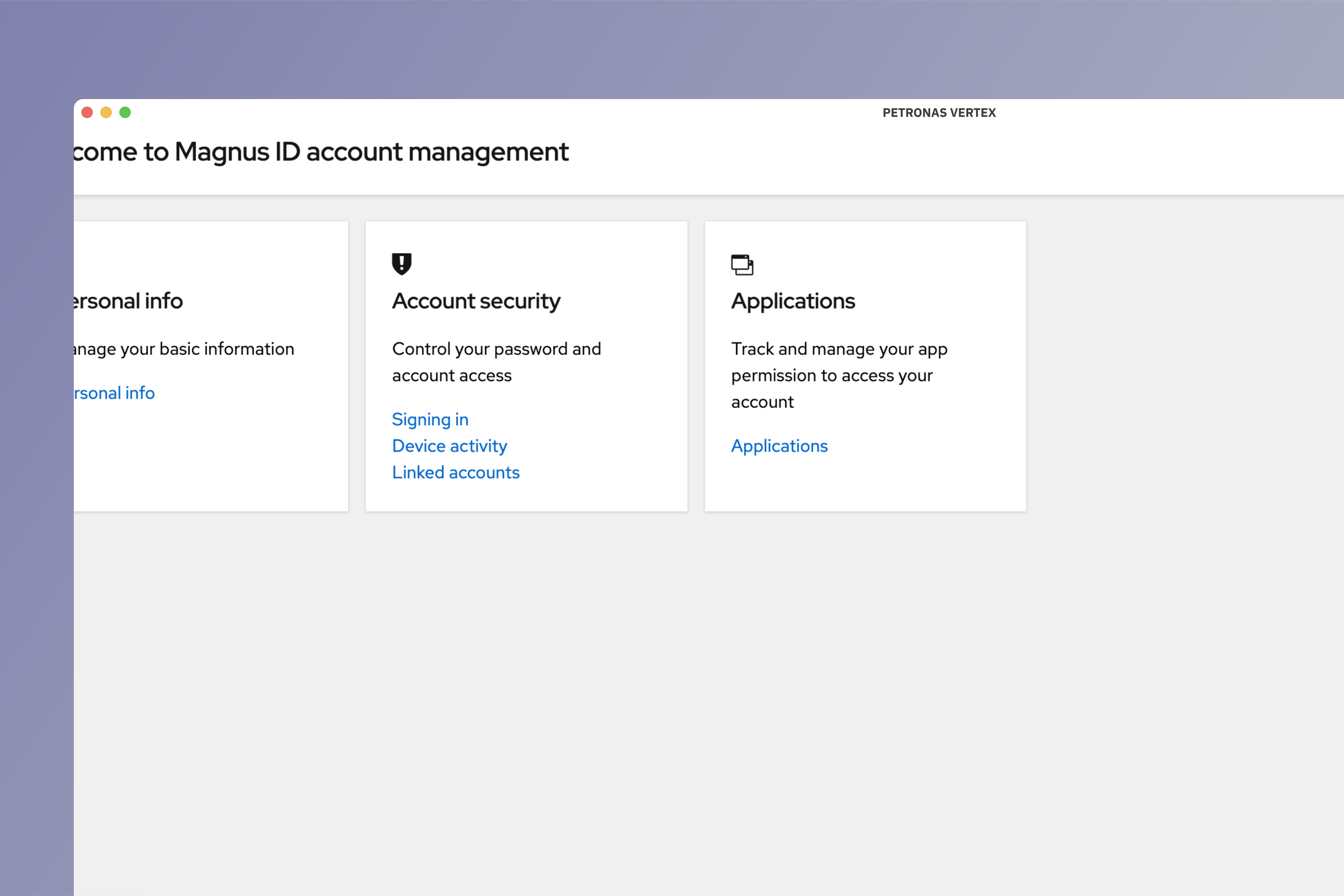
Under Account security click on Device activity.
Remove device
Click on Sign out button beside each session to remove any individual sessions.
To remove all connections except the current one, click Sign out all devices.